
AI Agent Approval Workflows: How Much Authority Is Enough?
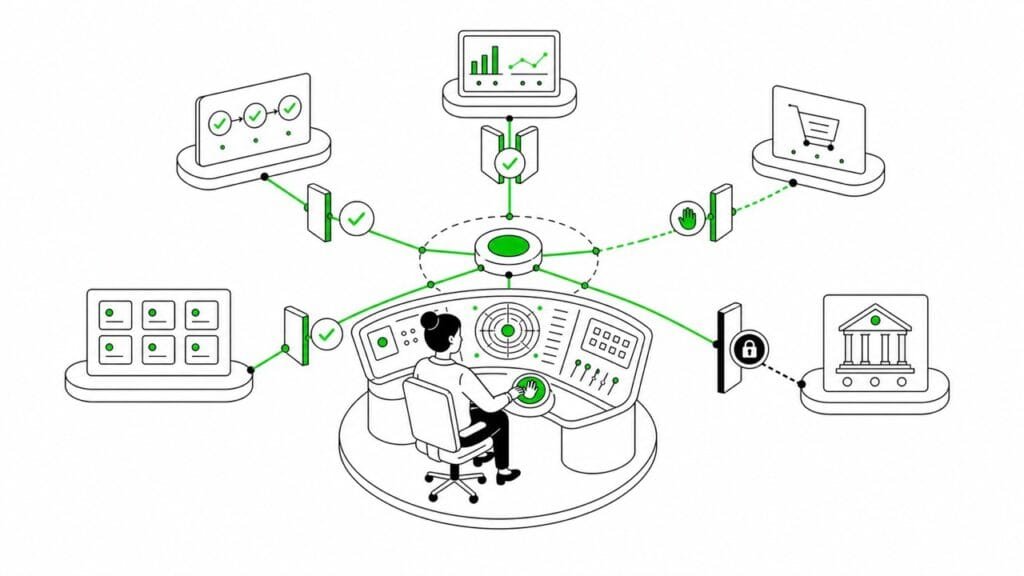
One of the hardest parts of running an AI agent is deciding what it can do without having to ask you first.
Fred is my main agent, and OpenClaw remains the harness I run 24/7. Fred helps with internal operations, research, and organizing work. He doesn’t communicate with clients, publish my content, or make important business decisions without me.
That’s not because I want to micromanage his every click, just that different tasks carry different levels of risk. Some can run independently while others need verification. And some definitely have to stay human-controlled.
Start with an operating layer
Before deciding what an agent may do, it helps to give the work at hand somewhere to live. A home base, so to speak.
That’s why I previously recommended starting with a Mission Control build-out first. A shared operating layer gives the agent and the owner somewhere to assign work, track progress, review proposed actions, and record what happened.
It also separates three questions that tend to get muddled:
- What can the agent see?
- What tools can it use?
- What actions can it commit on my behalf?
These aren’t the same things. For example, an agent could be allowed to read a file without having permission to delete it, send it, or change any related workflow around it.
What my agent’s allowed to do independently
A good independent task is usually internal, bounded, and reversible.
My agent Fred has a nightly inbox triage, as an example. During one scheduled run, he inspected the visible files in a designated inbox, compared them with an internal reference archive, and copied two missing files into that archive. One file was already there, so he left it alone. The original files remained untouched.
So this task didn’t need a human checkpoint because the boundaries were clear:
- The agent could inspect and classify files already in the inbox.
- He could copy reference material into a designated internal archive.
- He couldn’t delete source files.
- He couldn’t send anything externally.
- He had to stop if the task involved any hidden or system files.
This is the kind of autonomy I find useful. Fred can complete a routine task without waiting for me, but it has a defined starting point, a limited set of actions and a clear stop condition.
What needs verification or approval
The closer an action gets to changing your running system, affecting someone outside your business or creating an irreversible consequence, the more useful an approval step becomes.
A while back, I was trying to understand why a certain background memory-maintenance cron wasn’t behaving as expected. Fred inspected the existing schedule, the relevant OpenClaw docs, and the configuration. He diagnosed the conflict and proposed a corrected schedule.
He did not silently edit the main OpenClaw configuration or restart the gateway. I approved the durable change, a backup of the previous configuration was made, and I was the one who retained control of the gateway restart. And we didn’t consider the job complete until the live configuration and managed schedule showed the intended result after restarting.
That’s just one practical example of an AI agent approval workflow. Fred could investigate and explain the problem, but the system-level change still required me as a human checkpoint.
OpenAI’s practical guide to building agents recommends similar intervention points for high-risk, sensitive, or irreversible actions. OpenClaw’s own documentation also distinguishes between tool policy and sandboxing, and exec approvals. An approval prompt is useful, but it isn’t the same thing as a complete security boundary.
What stays human
Human control means keeping ownership of the decisions that set your own internal policies.
One time after a postmortem, we realized we didn’t have a reliable full backup before scheduled or delegated coding work. Fred had initially recommended a daily full database backup plus a mandatory snapshot before coding began.
I approved the safeguards, but changed the retention policy. I hate bloat and didn’t want a new backup accumulating every day. I required rotation, with no more than two generations kept for each purpose, and older copies moved to trash rather than sitting around indefinitely.
Fred was allowed to build and test the scripts, schedule the daily backup, and add the pre-coding snapshot requirement to the delegation workflow. But the acceptable retention policy and the trade-off between recoverability and storage were mine to decide.
This is the kind of distinction I personally like to preserve. Fred can recommend a solution and carry out approved implementation work but I don’t want him deciding what counts as an acceptable business risk. That’s my remit.
A simple authority ladder for AI agent approval
For a small-business agent, I find it useful to think in four levels:
- Observe: read, gather, summarize and monitor.
- Prepare: draft, classify, propose and create internal tasks.
- Act internally: file material, update non-critical internal state or run a bounded workflow.
- Commit: send, publish, spend, delete, change production, grant access or whatever your case may be.
The first two levels can often be largely autonomous. The third depends on the workflow. You might want the fourth to require your explicit approval like I do.
In a nutshell, the exact boundary will vary, but authority should be granted per task and per tool, not as blanket permission for the agent.
Autonomy has a maintenance cost
It’s important to always keep in mind that an agent running 24/7 still needs review. Permissions, APIs and the LLMs themselves change. Workflows drift, too, and failures reveal new edge cases. Approval rules also need to be adjusted as the business changes.
That’s part of the reliability tax of keeping a 24/7 agent and it has to be factored into your budget and time management.
The whole point of running agents is to be able to spend time on things that are more important to you and your business.
If you can’t clearly answer what your agent should be able to do alone, what’s still going to need approval and what definitely has to stay in your remit, then the workflow probably needs more definition before you sink time into its setup.

Author
A localization consultant, writer, editor, and content strategist with over two decades of experience in tech and language ops, Jenna holds an M.A. in journalism and communication science from Freie Universität Berlin, and is a certified PSPO and PSM who loves helping startups and small businesses reach international users.

AI Help for Small Businesses
Want to add AI to an existing workflow (content, localization, support, internal ops) or automate repetitive tasks?
Send a short note with your goal, current stack, constraints, and budget.
If you’re not sure where to start, you can also request a 1:1 AI orientation session.