
AI Agent Maintenance for Small Business: The Reliability Tax
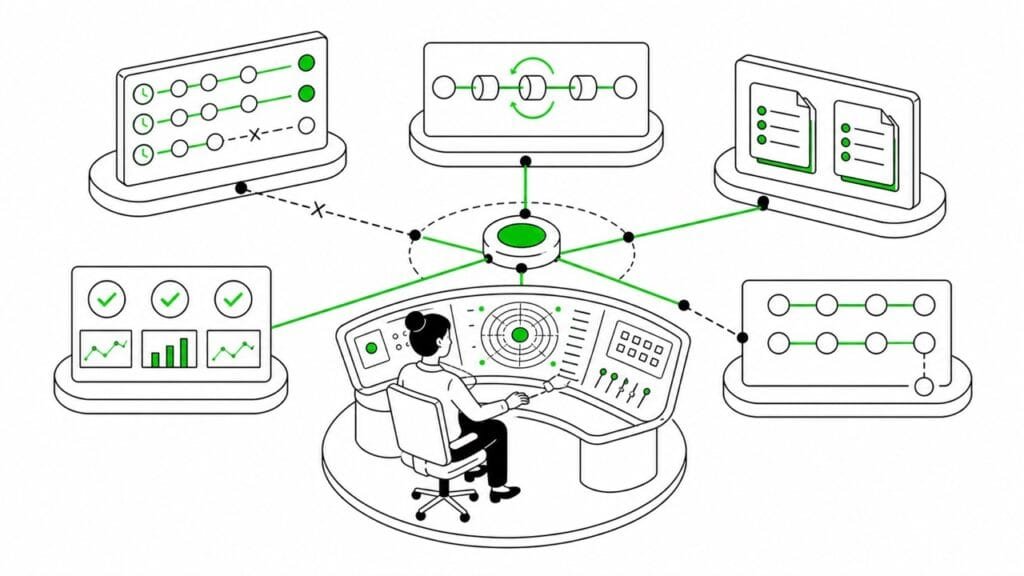
In a previous note, I wrote about starting OpenClaw automation by building your own Mission Control: a clear view of what the agent is doing, what it’s allowed to touch, and where its work ends.
It’s a great starting point, but the next question is what happens after automation is up and running.
My “claw” Fred is my main production agent, running 24/7. Once he was doing useful work reliably enough to become part of my day-to-day operations, a second job became apparent: maintaining the system around him. Schedules need adjusting after all, instructions need refining, permissions and integrations have to be checked occasionally, and failed runs obviously need investigating.
When things hit a bump in the road or seem to magically break overnight, the agent itself isn’t always the problem. The glitch is often somewhere in between the agent, the scheduler, some tool and the process reporting whether or not a job succeeded.
This is basically where the whole circus of AI agent maintenance work begins.
For a small-business owner or solopreneur, there’s a difference between a successful run and a successful outcome. An automation really only saves you time if it doesn’t require a whole lot of additional attention on your part to supervise, verify and repair it.
AI agent maintenance starts after the first successful run
Keeping AI agents running smoothly takes a bit more than fixing up a broken prompt here and there. You’ll find yourself checking whether a workflow is still using the right schedule, whether some integration still accepts the same fields, whether an overnight API or model change corrupted your output, or why certain results aren’t being delivered and landing where they should. It can get seriously hairy.
OpenClaw’s documentation separates precise scheduled automations from more flexible heartbeat checks. It also records detached work in a task ledger, so operators can inspect what ran and then audit any issues later. These distinctions are useful once the agent is doing work outside of the main conversation (which is the entire point of agentic work to begin with). A task that needs exact timing shouldn’t be treated like a periodic check, and a job that looks complete should still have a verifiable result.
The maintenance question is therefore rather straightforward: who notices when a workflow stops matching the intention?
Not every scheduled workflow should be loud
Scheduled work can get noisy even when it’s technically healthy.
For example, a recurring check might be running too often. Or maybe a scheduled report keeps repeating information that nobody acts on. Or a reminder is creating work instead of eliminating it. Several small jobs might each look reasonable, but they could be collectively turning your agent into a source of low-value notification spam. None of this is helpful.
This is one reason to review schedules as a system rather than approving each cron expression in isolation. In other words, you shouldn’t just be asking if something ran as planned, but whether it was worth interrupting someone for.
Sometimes the right maintenance decision is to slow a workflow down, narrow its scope, batch it with another job, or just remove it entirely.
Frequency isn’t the only problem either. Once you’ve decided which automated jobs deserve human attention, you still need to know whether the signals they send you are trustworthy.
When the work succeeds but the agent says it failed
One of Fred’s automated database backups completed successfully and the file was written as expected. But the wrapper around the job timed out afterwards and reported the run as a failure.
That left me probing a red flag for a job that had, in practical terms, succeeded. So I didn’t need to rerun the backup, just check that the file existed, verify it was complete and work out why the reported status didn’t match the outcome.
I had another variation of the same problem with a daily report sent to my Telegram. An initial tool call failed, a retry succeeded and the report arrived all right, but the earlier error was preserved in the final job state. Again, the useful work had been done but the computer said no.
These incidents changed how I look at automated job status per se. A green or red indicator is evidence, sure, but it’s the output that counts. For important workflows, I now want a way to verify the actual result, be that a delivered message, a valid file or some other concrete deliverable.
The reliability tax is the work between layers
A Princeton-led study of AI agent reliability separated reliability from simple accuracy while examining consistency, robustness, predictability, and safety. For a small business, the pragmatic version of this is less academic: can the agent just do the task on the next run, and am I able to tell when it can’t? The research argues that autonomous automation needs a higher reliability bar than work that’s incrementally reviewed by a human.
The calculation is thus broader than the time saved when a job runs successfully:
net time saved = manual work removed − automation overhead
where:
automation overhead = setup + monitoring + investigation + repair + rework
My database backup in the example further above required investigation even though the backup itself had succeeded. The Telegram report had to be checked in terms of the actual delivery against a misleading job status. Neither took a huge amount of time, but that’s precisely my point with agent maintenance: small bits of supervision, verification and troubleshooting really compound and can totally mess with your day-to-day.
This is the reliability tax. The maintenance overhead you have to subtract from whatever time the automation saves you.
Determine whether an agent is earning its keep
At the end of the day I basically want clear answers to four questions for each workflow:
- What exact manual task is it reducing?
- How much human attention does it require each week?
- Are failures visible, bounded, and reversible?
- Who owns maintenance when the workflow drifts? Me? A colleague or client? A subagent?
I’d say keep an automation when it produces net savings and its failures are relatively easy to detect. Trim it when the underlying task is valuable but the scope was too broad.
Slow it down or add an approval layer when the consequences are harder to reverse. And by all means, retire it if it’s a time suck. You shouldn’t have to micromanage your agents. They’re supposed to be saving you time.
What small businesses need on a day-to-day is automation with an owner, a review rhythm, and a reliable way to verify results. Your next new workflow shouldn’t turn into a part-time job.

Author
A localization consultant, writer, editor, and content strategist with over two decades of experience in tech and language ops, Jenna holds an M.A. in journalism and communication science from Freie Universität Berlin, and is a certified PSPO and PSM who loves helping startups and small businesses reach international users.

AI Help for Small Businesses
Want to add AI to an existing workflow (content, localization, support, internal ops) or automate repetitive tasks?
Send a short note with your goal, current stack, constraints, and budget.
If you’re not sure where to start, you can also request a 1:1 AI orientation session.