

If your team ships content weekly or daily across multiple languages, and has developers comfortable with S3, Lambda, and Step Functions, this approach delivers far more scalability and control than traditional processes. The Content Localization on AWS solution automates ingestion, ML processing (transcribe, translate), and output of ready-to-distribute assets that scale with your user base.
The Content Localization on AWS Solution Architecture
A robust localization solution on AWS relies on event-driven architecture. You’re orchestrating microservices as opposed to building a monolithic server. The process typically starts when a user uploads a media or video file to an Amazon Simple Storage Service (S3) bucket.
This action triggers an AWS Lambda function. This serverless compute service acts as the traffic controller. It validates the file type and initiates the AWS Step Functions workflow. We use Step Functions because localization is rarely ever a single step. It’s a sequence: transcription, translation, subtitle creation, and encoding.
Using Amazon S3 makes source and destination files more durable. Whether you’re dealing with a massive amount of video content or small text snippets, the content localization on AWS pipeline handles the load without manual server provisioning.
Machine Learning and Amazon Translate
The core of this workflow uses Amazon Translate and related AI services. Amazon Web Services offers a stack of neural machine learning tools that smoothly integrate via API.
For video content, the workflow first engages Amazon Transcribe. This service converts speech to text, generating time-stamped captions. If you’re in a specialized industry like legal or medical, you can improve accuracy by using Amazon Transcribe custom vocabularies.
Once transcribed, the text is passed to Amazon Translate. This service uses neural machine translation to convert text into multiple languages. To maintain brand consistency, developers should implement Amazon Translate custom terminologies. This makes sure specific product names or technical terms aren’t translated literally.
For scenarios requiring voiceovers, Amazon Polly can turn that translated text back into lifelike speech. The integration of Amazon Transcribe and Amazon Translate creates a feedback loop where raw content enters, and localized subtitles and audio exit. Neat, right?
AWS Step Functions Workflow and Logic
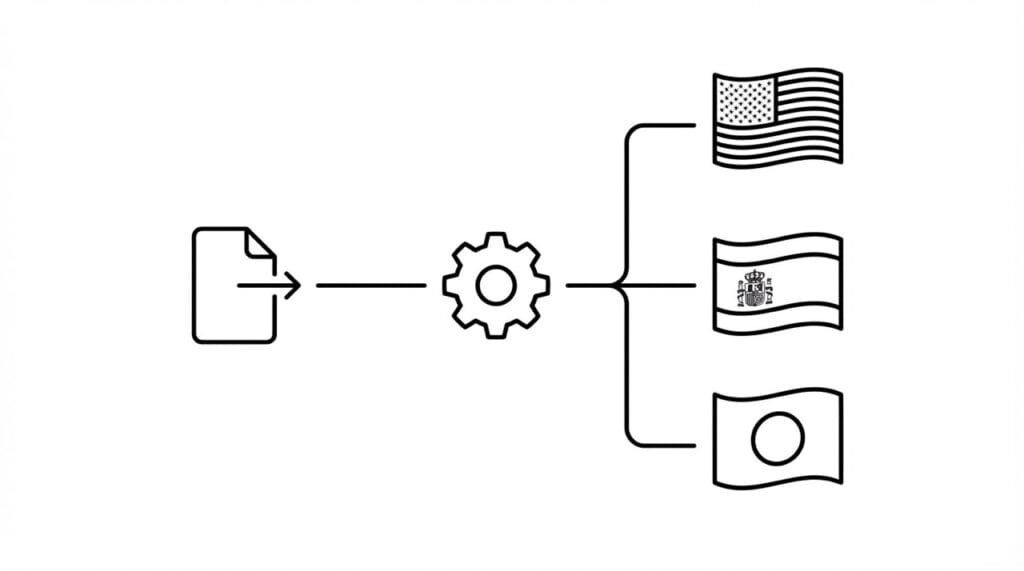
The state of these various services needs to be managed, and an AWS Step Functions workflow allows you to visualize and coordinate the components. For example, you can’t start the translation process until the transcription is complete.
Your state machine definition in Step Functions might look like this:
- Input: Video content triggers the workflow.
- Process: AWS Elemental MediaConvert extracts audio.
- Transcribe: Amazon Transcribe generates the source script.
- Translate: The system uses Amazon Translate to generate target languages.
- Output: Lambda function formats the output into standard subtitle files (SRT/VTT).
This workflow using Step Functions ensures error handling is robust. If a job fails, the system retries automatically, so the content localization workflow doesn’t silently break.
Managing Subtitles and Video Content
Video is the heaviest lift in content localization. Manually creating a subtitle for a 10-minute video is super tedious. Using AWS machine learning services accelerates this though by providing a “first pass” accuracy of 80-90%.
When you deploy the solution, you can utilize Media Insights on AWS. This framework combines services like Amazon Rekognition (for identifying on-screen text or objects) and Amazon Comprehend (for sentiment analysis) to add context to the localization.
However, a human-in-the-loop is still vital. The output from Amazon Translate and Amazon Transcribe should be pushed to a web application where the respective content creators or professional linguists can review the subtitle files. This hybrid approach—AI for speed, humans for nuance—is the most effective way to manage multiple languages.
How to Deploy the Solution
To get this running, you don’t need to manually configure every console setting. Use AWS CloudFormation to define the infrastructure as code. This allows you to deploy the solution repeatedly across different environments (staging, production).
You can also find pre-built solutions on the AWS Marketplace. These often include a front-end web application that allows non-technical teams to access the web application, upload files, and download translated assets.
Security is handled via AWS Identity and Access Management (IAM) and Amazon Cognito for user authentication, so that only authorized personnel can trigger the lambda function or access the AWS content in your buckets.
FAQ: AWS Localization
What is the cost of the AWS services for localization?
The cost of the AWS services depends on usage. Amazon Translate, Amazon Transcribe, and Amazon S3 follow a pay-as-you-go model. Check the pricing webpage for each AWS service for specific rates per minute or character.
Can I use custom vocabularies?
Yes. Active custom translation is supported. You can define Amazon Translate custom terminologies and Amazon Transcribe custom vocabularies so your brand voice and technical terms are preserved during transcription and translation.
How does this compare to traditional localization?
Traditional localization is linear, manual, and pretty much passé in the age of AI. AWS localization is asynchronous and scalable. While traditional localization offers very high cultural nuance, using the content localization on AWS dramatically reduces turnaround time and cost for high-volume content.
What languages are supported?
Amazon Translate supports a wide range of languages using deep learning models. You can translate content into multiple languages simultaneously right within one and the same workflow.
How do I get started?
Deploy via AWS CloudFormation or the pre-built Content Localization on AWS solution from the AWS Solutions Library. Start with a proof-of-concept on a single video pipeline, then scale to your full content library.
