If you’re running an e-commerce business, you probably know that limiting yourself to one geography limits your revenue. But simply switching on a plugin to translate your site won’t cut it.
Shopify is widely used by many online shops and thankfully, it has localization features that give a seamless, native-feeling experience for users anywhere in the world. This means you can shape the entire shopping experience from currency to cultural nuance.
Below we look at how to localize your ecommerce website effectively, the tools you need, and the best practices to help your international sales scale.
Translating Your Store: Effective Website Localization
The core of localization is, of course, language. However, translating your store involves more than swapping words from one language to another. The speed of machine translation needs to be combined with a bit of human editorial precision.
For Shopify localization to be effective, you also need a clear, repeatable workflow to translate and manage your store’s content efficiently.
Shopify automatically adds some translation capabilities, but for a professional finish, it’s important to review the translated content.
Choosing the Right Translation Tools
You have several options within the Shopify App Store.
- Shopify Translate & Adapt app: This is the native solution. It allows you to translate content side-by-side with your original text. It’s often the best starting point for basic localization.
- Third-party apps: Tools like Weglot or Langify can help manage multiple languages and may provide better SEO controls for specific foreign markets.
- Professional translation service: For high-stakes pages (like the homepage or checkout) it’s better hire a translator.
Leveraging machine translation tools within the Shopify Translate & Adapt app lets you process high-volume text, such as standard product descriptions, relatively quickly. This strategic shortcut keeps translation costs manageable. Despite this, relying solely on automation is risky.
When you add a new language, bringing on a native language speaker makes your online store sound more authentic. They catch errors the software misses, which helps clarify local language nuances that might otherwise confuse your customers.
Shopify Markets and Checkout Adaptation
A major hurdle in cross-border commerce is friction at the point of sale. If a shopper sees a currency they don’t recognize or a payment method they don’t trust, they may very well bounce.
Shopify Markets is the platform’s answer to this. It allows you to configure local currencies, domains, and languages from a single Shopify admin. This is not to be underestimated; most international customers expect a localized experience from the landing page through to the transaction.
Local Currencies and Payments
- Currency: Use a currency selector or geolocation to show prices in local units. Shopify can handle automatic conversions based on the current exchange rate.
- Domains: Assign unique domains (e.g.,
.defor Germany) boosts trust and search engine optimization (SEO). - Payment options: Make certain your checkout supports local favorites. For example, offering iDEAL in the Netherlands or digital wallets in Asia is often more important than accepting Visa!
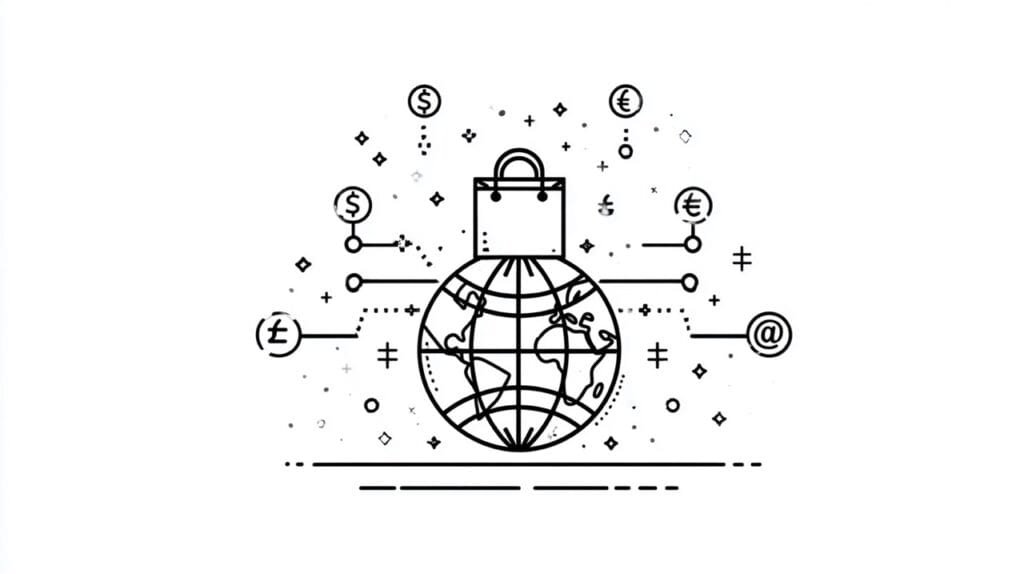
By using Managed Markets from Shopify, you can control each market individually. It’s this level of granularity which creates a proper localization setup that ultimately feels like a local business to international shoppers.
Cross-Border SEO and Localization Best Practices
At the end of the day, localization and translation efforts are wasted if new customers can’t even find you. SEO is vital for reaching international customers, and every e-commerce store faces the challenge of ranking in different languages.
To localize for search engines, there has to be a clear signal that content is relevant to the respective local market.
Hreflangtags: These tell Google which language version of a page to show. Google’s guide on international SEO explains that most translation apps handle this automatically, but you should verify it in your source code.- URL structure: Use subfolders (like
yourstore.com/fr/) or local domains. A dedicated domain per market is usually the strongest signal for local ranking. - Keyword research: Have a native language speaker help identify the keywords your local audience actually uses. Direct translations often miss the colloquial terms used in search. Modilingua offers SEO translation services in German and English.
By implementing these localization best practices, a new stream of organic traffic is added analog to the addition of a new language.
Enhancing Customer Experience Through Nuance
When it comes to effective website localization, translation and currency conversion are just the beginning.
The content, design, and user experience all have to be adapted, too, to match local languages, cultural norms, and customer expectations.
In short, it impacts the overall customer experience:
- Visuals: does imagery reflect the target market?
- Sizing: Are size charts converted (e.g., inches to centimeters)?
- Support: Is customer service available in the target language? Even a translated FAQ page or an AI chatbot is better than nothing.
- Policies: Do the privacy policy and return terms comply with local laws, such as GDPR in Europe?
All of these have to addressed to thoroughly adapt an online shop and build trust. Ultimately, it’s trust which drives the increase in conversion rates and makes global expansion profitable.
FAQ
How do I add languages to my store?
Go to your language settings in Shopify’s admin panel. Click “Add a language,” select your target language, and check if you have a compatible translation app or the native Shopify Translate tool installed.
Does localization increase conversion rates?
Yes. Data consistently shows that international sales improve when users can browse and buy in their native language and local currency. It reduces cognitive load and increases trust.
What’s the difference between basic localization and “proper” localization?
Basic localization would consist of simply auto-translating text. Proper localization adapts the user experience, including payment options, legal compliance, and cultural nuances in imagery.
Can I expand into new markets without a huge budget?
Yes. You can start by enabling Shopify Markets for a single region and using machine translation. As revenue grows, weave professional human translation and quality assurance into your strategy.
Building a Scalable Shopify Localization Strategy
Shopify localization is a journey, not a toggle switch. By focusing on a solid localization strategy that combines technical tools like Shopify Markets with cultural awareness, you position your brand for global success.
Whether you want to enter a new market or optimize an existing international store, remember that the goal is to make the customer feel at home. If you’re ready to try Shopify’s global features, start small with one language, measure your conversion rate, and scale your translated content over time.
